
Riverside
Remote video audio recording
High-quality remote recording that survives a guest's shaky wifi, with a real thread of upload and billing complaints to plan around.
Marketing, enablement, and podcast teams that turn a conversation into a long cut, clips, captions, and a transcript on a weekly cadence.
Separate-track hour limits plus reliability risk. Trustpilot swings between glowing and furious over lost uploads and billing disputes.
Worth it for teams publishing from recordings regularly, with a backup plan and a trial run before anything high-stakes. Skip it for VFX or frame-level finishing.
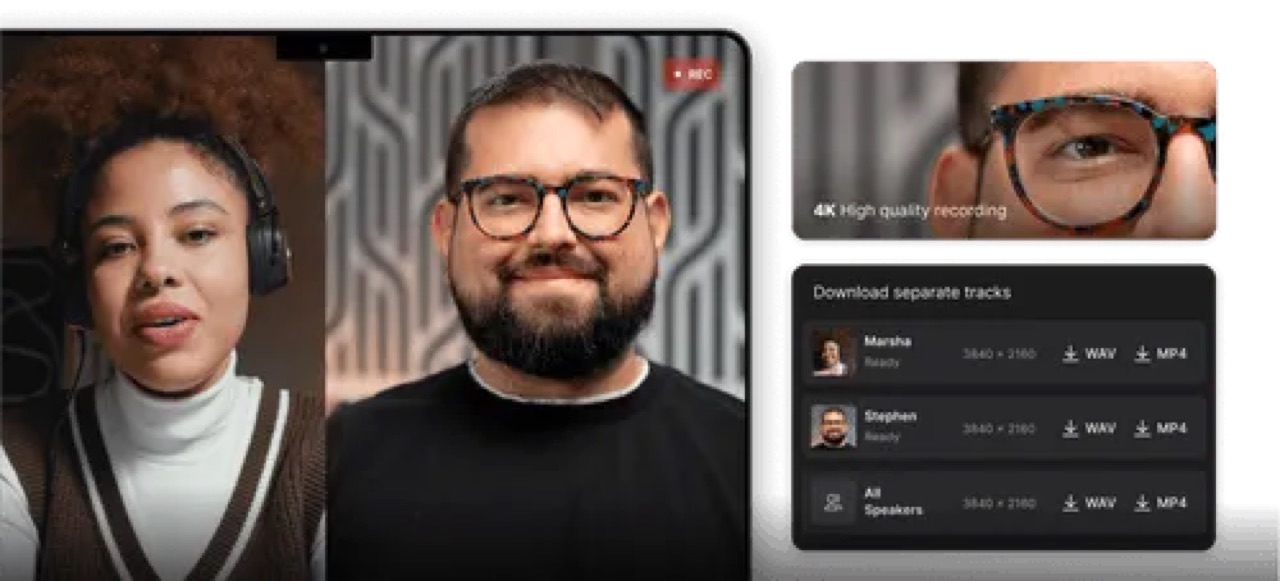
What you're actually getting
Riverside combines remote audio and video recording, transcript-based editing, AI repurposing, podcast hosting, and live publishing. The core trick is that it records separate participant files locally, up to 4K video and 48 kHz audio on paid plans, then builds a combined edit you can export.
The workflow is host-owned. You create a studio, invite guests, record in a browser or app, wait for the local tracks to upload, then edit the transcript and media and export a long cut, clips, captions, or a full episode.
Guests do not need their own paid plan, but you still own their setup and the backup process, which matters more than it sounds. It rates 4.8 out of 5 across 1,700+ G2 reviews.
There is also Riverside.fm, and I recommend it.
Where it earns its keep
This is the tool for teams that repeatedly turn a conversation into content: a customer interview becomes a long-form cut, two short clips, captions, and a clean transcript, all without leaving the workspace. Marketing, enablement, and podcast teams get the most out of it because that is a weekly job for them.
The separate-track local recording is the real payoff. When a guest's connection drops mid-sentence, the local file protects your final quality, which is the difference between usable footage and a reshoot.
I haven't had any problems with Riverside at all. I actually really love it… even guests with no mic or a low quality mic sound crisp and professional podcast ready after using the tools.
Where it'll bite you
The separate-track download allowance is metered by monthly hours on paid plans, and long interviews, retakes, and client work eat that faster than you expect. Run one real month of your actual recording volume against the plan's hours before you commit.
Reliability is the sharper worry. Trustpilot's 482 reviews swing between glowing and furious, with recurring reports of lost uploads, billing and renewal disputes, and support friction, and Capterra shows the same guest-joining and browser trouble. Local capture protects quality and still leaves session risk. Test the exact guest device and browser mix and confirm cancellation, backup, and recovery steps during the trial.
One more limit: this is a recording and repurposing workspace, so music-led, VFX-heavy, color, or complex multicam work still needs a real editor downstream.
We've recorded 30+ episodes on riverside this year and the editing process has gone from bad to worse… a lot of our guest recordings randomly disappear or don't upload all the way.
What it costs, really
There is a free plan, then Pro at $29/mo ($24 annual), Grow at $39 ($34 annual), Webinar at $99 ($79 annual), and Business by quote.
The number that actually shapes the plan choice is the separate-track download hours, which vary by tier while single-track recording and editing stay more generous. If you rely on the local per-participant files, and most serious users do, start your plan choice from those hours before looking at the headline monthly figure.
Local recording alone has saved me more than once… for me, Riverside has been a godsend, and Riverside today feels way more mature than it did even a year ago.
Riverside's shitty, glitch-ass software (which I pay for premium) disconnected our video-interface SEVEN goddamn times. I looked like an unprofessional idiot.
Same job, other tools
Also filed under Video & audio:



16 sourcesEvery claim on this page is traceable. Open the receipts.
- 1RiversideProduct identity and recording/editor overview.official
- 2Riverside pricingCurrent plan snapshot checked 2026-08-15.official
- 3Riverside podcast hostingHosting, distribution, AI clips, and show notes.official
- 4Riverside file formatsLocal tracks, cloud tracks, and exports.official
- 5Riverside edits and clipsCombined edits, clips, and export behavior.official
- 6Riverside audio editingTranscript corrections, AudioDub, and audio tools.official
- 7Riverside upload for editingOutside-file import and transcript generation.official
- 8Riverside integrationsCRM, publishing, webhook, and editor handoffs.official
- 9Riverside captionsCaption styling controls.official
- 10Riverside DPADPA reference; request the current version for review.official
- 11Riverside on G2Public review pattern and user quotes.public
- 12Riverside on CapterraPublic review pattern with vendor-referred disclosure.public
- 13Riverside on TrustpilotService, billing, upload, and reliability anecdotes.public
- 14Podcasters.me Riverside reviewIndependent podcast workflow review.independent
- 15AIToolShop Riverside reviewIndependent small-team review.independent
- 1610x EditorialPortal judgment, pilot design, and buying guidance.editorial